Introduction
I found I could say things with color and shapes that I couldn't say any other way — things I had no words for. - Georgia O'Keefe
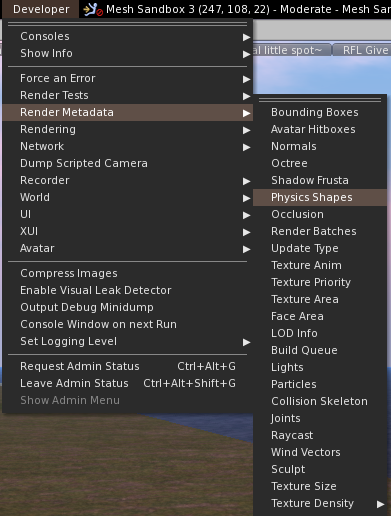
In previous blogs and in various group conversations, I've often discussed the physics overlay renderer of the Second Life Viewers, typically found in the Developer menu under the, perhaps confusingly named, "Render Metadata" menu.
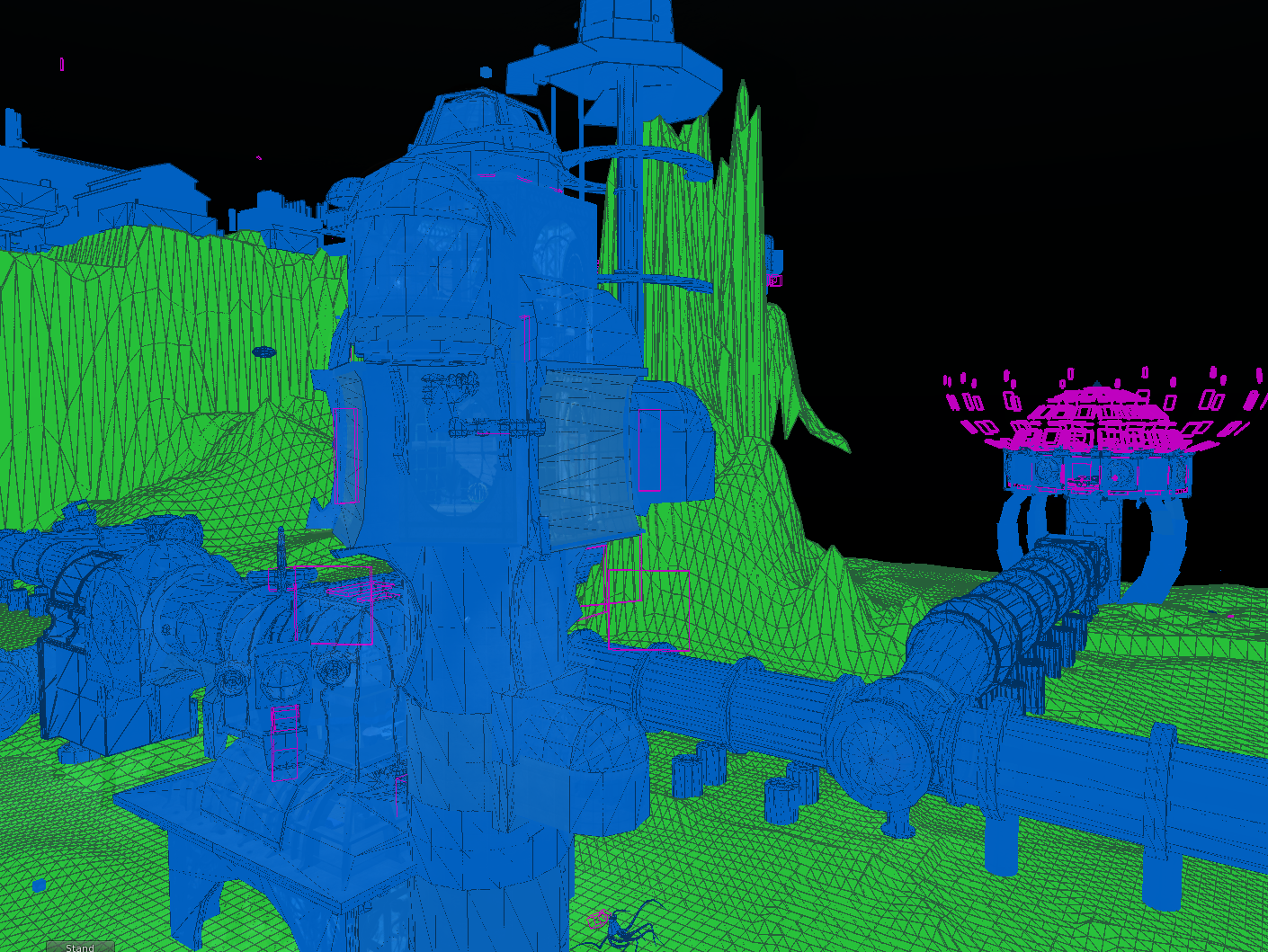 |
| Physics view in all its glory |
The Render Metadata menu is a wonderful set of tools that help debug various issues. You may recall the "LOD display" which tells you
which Level Of Detail is being shown, for example. They are mostly unnecessary to the average SL user but occasionally, as builders, and educators/mentors, we find that a couple of them can help us a lot at certain times; and primary amongst these, to my mind, is the physics view.
The physics view is a great example of "metadata rendering"; the use of a visual overlay (render) to convey additional information (metadata). So what does it do? Well essentially, it overlays new objects into your view to communicate non-visual aspects of the scene. in this case the physics shapes, but..what does it all mean?
Where do we find it?
Before we get too far ahead, let's take a moment to find the menu. I will, of course, use
Firestorm but the feature should exist in all graphical viewers that have any relation to the Linden Lab viewer.
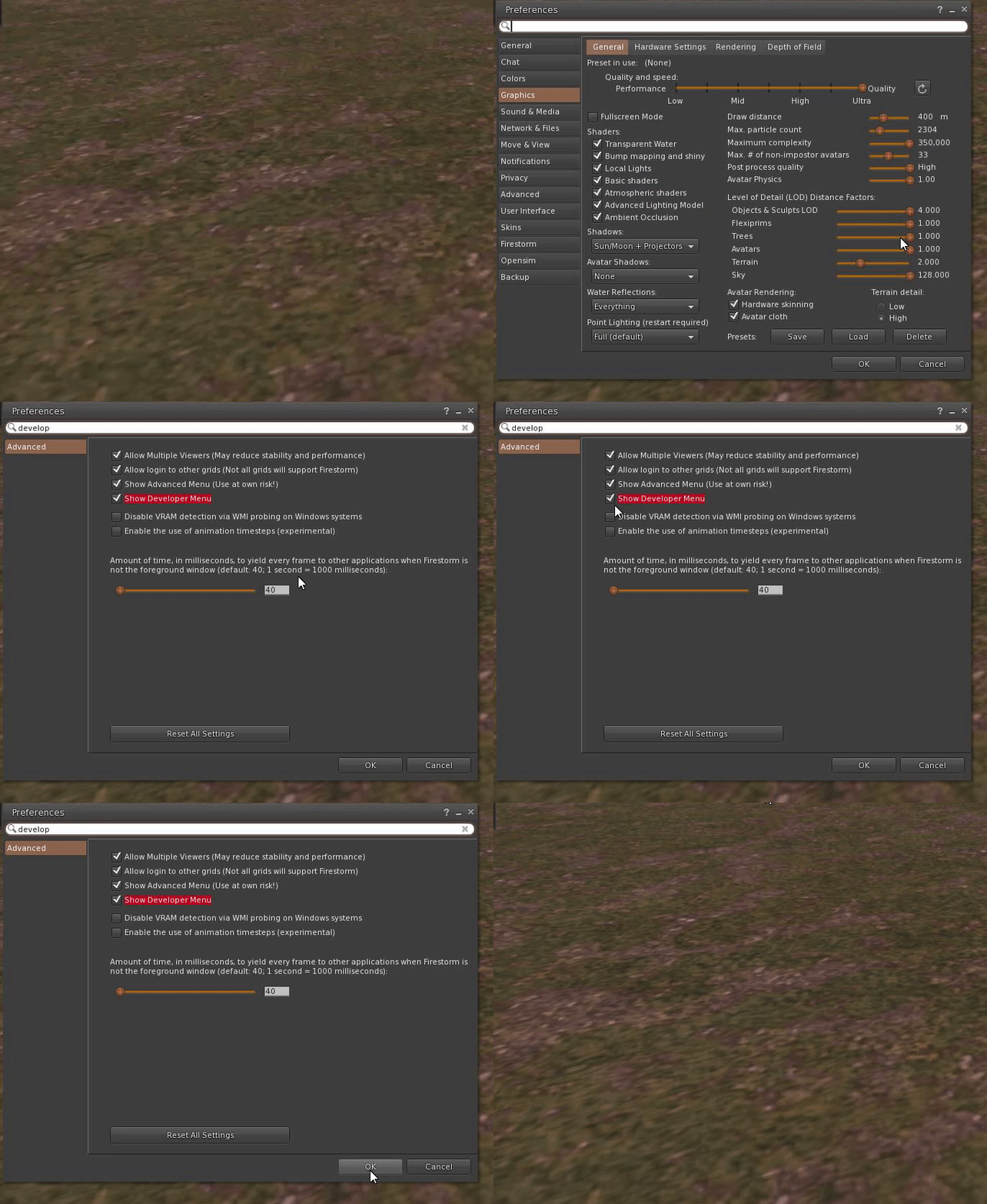
You will need to have access to the developer menu
The simplest way to do this is via that excellent preferences search.
Ctrl-p will bring up the preferences dialogue. Then in the search box type "developer".
Tick the highlighted option and hit OK, you should now have the developer menu.
Now, simply click on the "Developer" menu and locate the "Render Metadata" item, and pick "Physics shapes" from the resultant list.
To turn it off again, just reselect the item from the list.
Decoding the view
When you click on the option, you are immediately plunged into a strange parallel dimension; what you see will naturally depend on where you are, and what is around you but it will almost certainly take on a very blue look. It is often worth moving to an area clear of clutter when testing this feature.
New rough approximations of your objects will now have been rendered; your meshes and prims will be blue, or various shades of orange and red, some will have pencil sketched triangles across their surfaces and peculiar coloured boxes will appear. Every part of this is potentially useful information if only you know how to read it. There are two basic representations, the colours and the shapes, we'll look at each in turn.
Colours
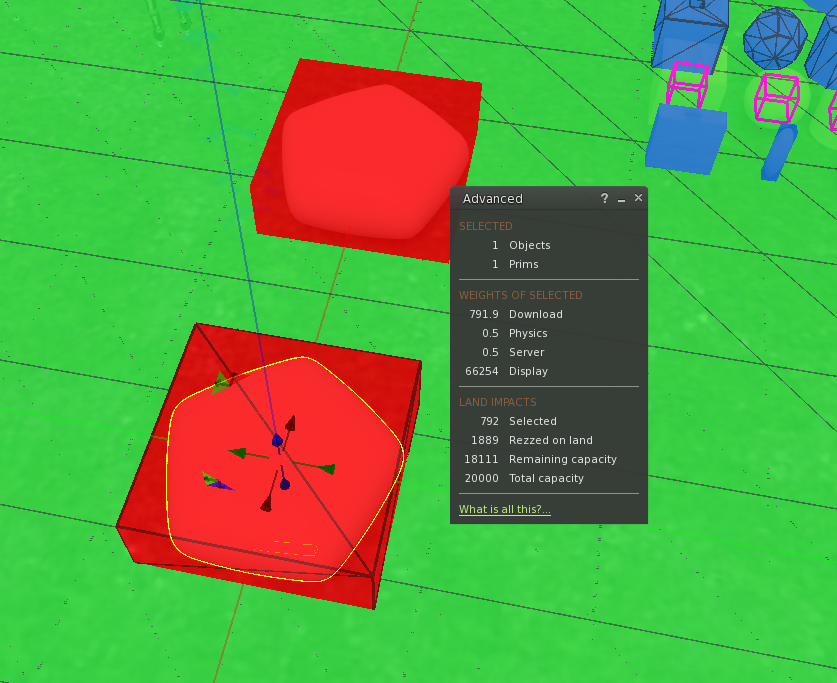
First of all, I will correct the received wisdom of forums and blogs. For a long time most people, myself included, had considered that the colourisation represents the physics weight of the object; however, that is not actually the case. In fact, the view displays colour based on the overall object cost, i.e. the inworld LI. The below image demonstrates this clearly, and no this is not new, or a change in behaviour, it was created like this in 2010 and the assumptions have been made ever since.
With a few exceptions then, the hue of the faces shown in physics view represents the object cost of that object as a colour spectrum. Red indicating an excessively heavy load on the viewer/physics engine, through to amber, and blue.
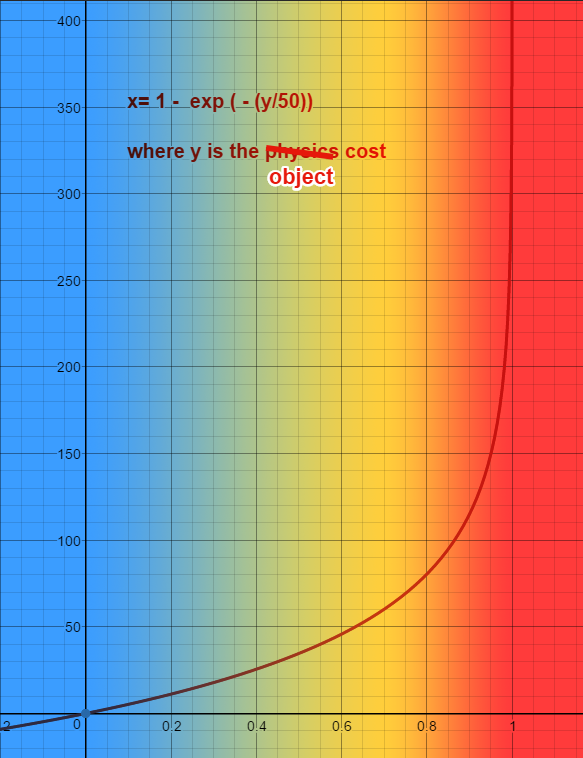
The mechanism by which these are coloured is not entirely straightforward. Firstly the cost is normalised along a logarithmic scale. By default the threshold used is 50, anything over that value is considered high. A plot of this normalisation looks like this.
Anything with a normalised weight of <0,5 (which as we can see from the graph is an actual weight of a little under 35) will be rendered as a mix between the Low colour (blue-green) and the Medium colour (orange). For anything heavier than those the colour is a mix between the Medium and the High (Red) thresholds, giving a range between orange and angry red.
Note: For those interested in the details, the mix is a linear interpolation of the RGBA values of the two thresholds. The colours and thresholds can be changed, and I will briefly cover this at the end of this blog (if I remember), but it should be considered as an advanced use only. So these are really telling us where our heavy physics costs are, especially useful in a multipart build where an unexpected legacy prim has become linked with Mesh and resulted in an unforeseen and undesired spike in the LI.
Shapes
The shapes are where this view excels. When you are trying to understand why your Mentee's mesh wall is
not allowing you to pass through the doorway, a quick flick into "Physics view" can often tell you the answer. Even those of us who use them frequently often fail to realise is that there is more information in the display of these than first meets the eye.
The representation is similar for both prim and mesh; similar but not quite the same. Unlike a mesh, a prim has no user-defined physics shape, yet the effective physics shape can be quite complex. Consider a twisted, cut spiral cylinder, used as a staircase. The users expect the physics to work accurately. As a result, there are a couple of optimisations and a default case which can if misused, be a problem.
The way that a shape is shown is linked closely to the type of physics that it represents.
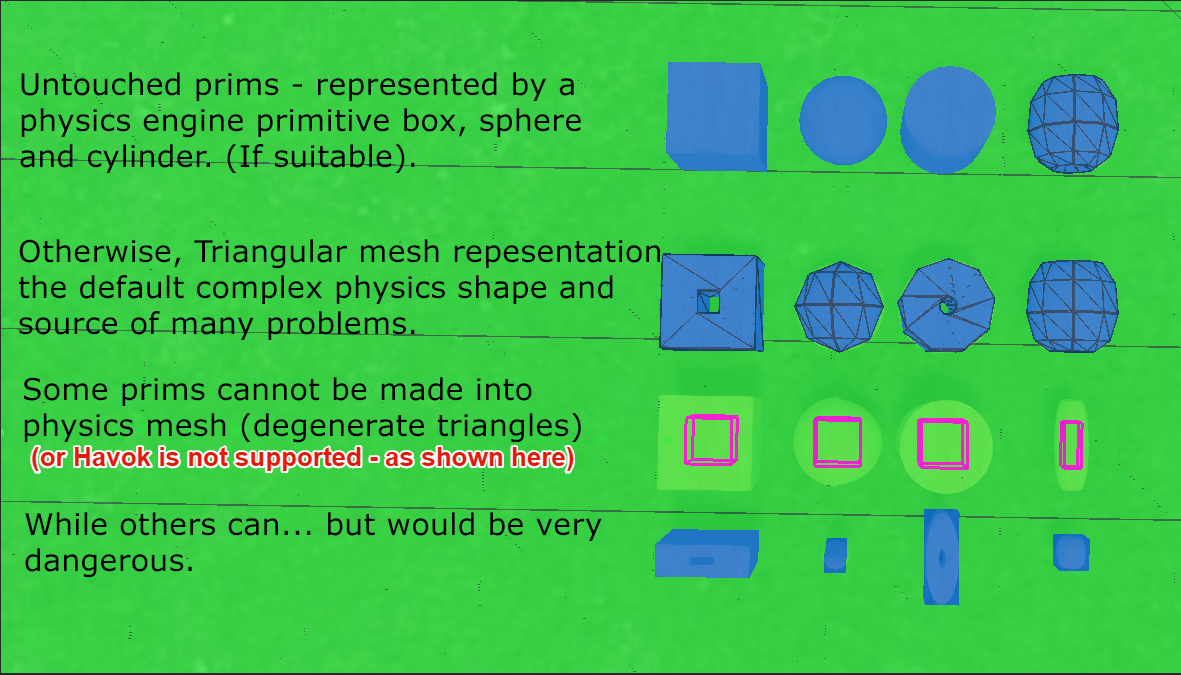 |
| Four prims a cube, sphere, cylinder and torus with various parameters affecting their physics shape |
Case #1 The HAVOK Physics shape.
For the general case of a unmodified prim, it will be assigned a highly efficient physics hull that closely matches its shape. There are three possible physics shapes, Box, sphere and cylinder. These shapes are a special case of "hulls" a physics shape used by the Havok engine. These provide for extremely efficient collision detection by simplifying the mathematics required to detect collisions.
An example that seems contrary to many who are used to thinking of mesh shapes, is that the cheapest, most efficient physics shape is a sphere. This is because collision detection of a perfect sphere needs only two values, the centre and the radius, any plane that passes closer than the radius, must be intersecting with the sphere.
Note that complex prims such as the Torus shown top right, do not have an efficient representation and simply fall through to the second category.
For Mesh there is an extension of the simple form, it is known as the base hull and is the shape that you interact with when "convex hull " is enabled. A base convex hull is defined for all meshes and for the most part, appears as if a "cling film" wrapping has been stretched over the object.
These shapes are typically rendered with a semi-transparent tone and no visible edges.
Case #2 almost all of the rest
If a prim cannot be represented by a Havok shape then it will be converted to a "simple" triangular mesh representation. The rules that dictate when a physics primitive is swapped for a mesh are a little too detailed for a blog like this. But with experimentation in Physics view, you can see that typically a cube that is hollowed will "switch" to mesh physics at about 20%. I tend to think about it in terms of "is the hole big enough for something to fall through" (though that is not the real test :-) ).
This is also the typical (not quite a default) case for Mesh physics. A Mesh object must have a physics decomposition provided. There are 3 types, the base hull discussed above which is the actual default. If nothing else is provided then the base convex hull will be used. The second type is a triangular mesh derived from one of the visible mesh models or uploaded as a dedicated mesh (I highly recommend the latter). The third is an analysed mesh, which we will cover later.
A triangular mesh physics shape can be very efficient it allows you to fully represent the shape, with any holes and other shapes. It is important however to be very economical with the mesh used, keep the resolution of the physics as coarse as possible, to improve performance and lower cost.
It is worth bearing in mind that it is a side-effect of the triangular mesh physics and the physics cost calculation that gives rise to the
super-heavyweight prims in certain circumstances.
These shapes are typically rendered with a darker outline showing the mesh triangle edges.
Case #3 rare and getting rarer
From time to time you may see a magenta wire-frame cube 50% the size of the prim. This is effectively an error report. It means that for one of a number of reasons the viewer cannot display the physics shape. With Prims there is typically only one reason for this, the prim has been forced to use Convex Hull and the user is running a viewer that does not have the capability to decode that hull into a visible object. At the time of writing it is quite common in 64-bit third-party viewers such as Firestorm to show all convex hulls (both for prim and mesh) as magenta boxes.
Why does this affect 64-bit viewers?
The reason behind the limitation is straightforward once you know about it, the Havok physics engine used by second life is a commercial product, Linden Lab kindly provide a special library that supports a limited subset of Havok capabilities but until very recently, the Lab did not have a 64 bit version of their viewer and did not supply a 64-bit compatible version of the Havok Library. Almost all physics functions in Second Life are handled on the server, however, there are a handful of services required by the viewer and the library provides these. The one that most builders notice is the lack of options in the "analyse" menu on Mesh uploads, but another is the ability to convert a "convex hull" into a mesh shape that can then be rendered in physics view. Thus, to keep this short(ish) when you ask a 64-bit viewer to show a convex hull it says "I can't" by showing you a magenta wire-frame.
The next version of Firestorm will be fully Havok enabled and the vast majority of instances when the Magenta boxes appear will be banished to history.
Case #4 The very small object
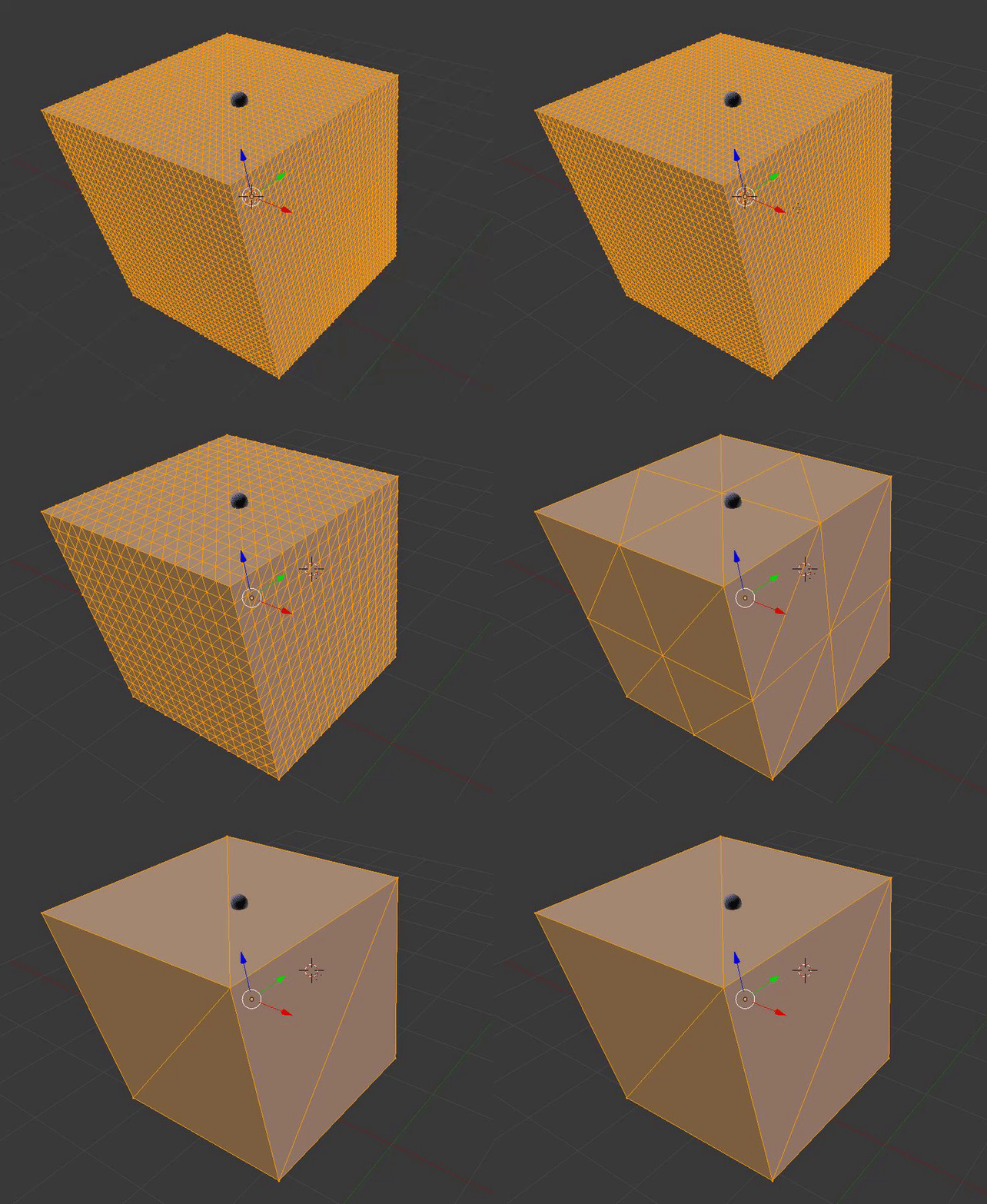
This case is a safety net. As we observed in case #3, the equation for calculating the physics cost has an often unexpected side-effect for the uninitiated. The logic behind the calculation is clear enough, the Havok physics engine needs to do less work when it hs handling fewer shapes as is shown in this simple animation
from a previous blog.
 |
| Smaller triangles more work. Which triangle did the sphere hit? |
The earlier blog post gives more details on this and describes the conditions under which the Lab implement a cut-off to prevent the asymptotic behaviour. The mechanics we can leave aside, the result though, for our purposes is a simple box physics that wraps around the small objects, removing holes and details completely. For completeness here, I will repeat the conditions (but keep in mind that at the time of writing physics view will lie.)
IF object is a prim AND has more than 2 dimensions less than 0.2mTHEN force the shape to a convex box.ELSIF object is a mesh AND has one dimension less than 0.5mTHEN force the shape to a convex box
These are shown without edges and are in some ways indistinguishable from (deliberate) hulls
Case #5 Hulls analysis and fixed cost physics (not shown in image)
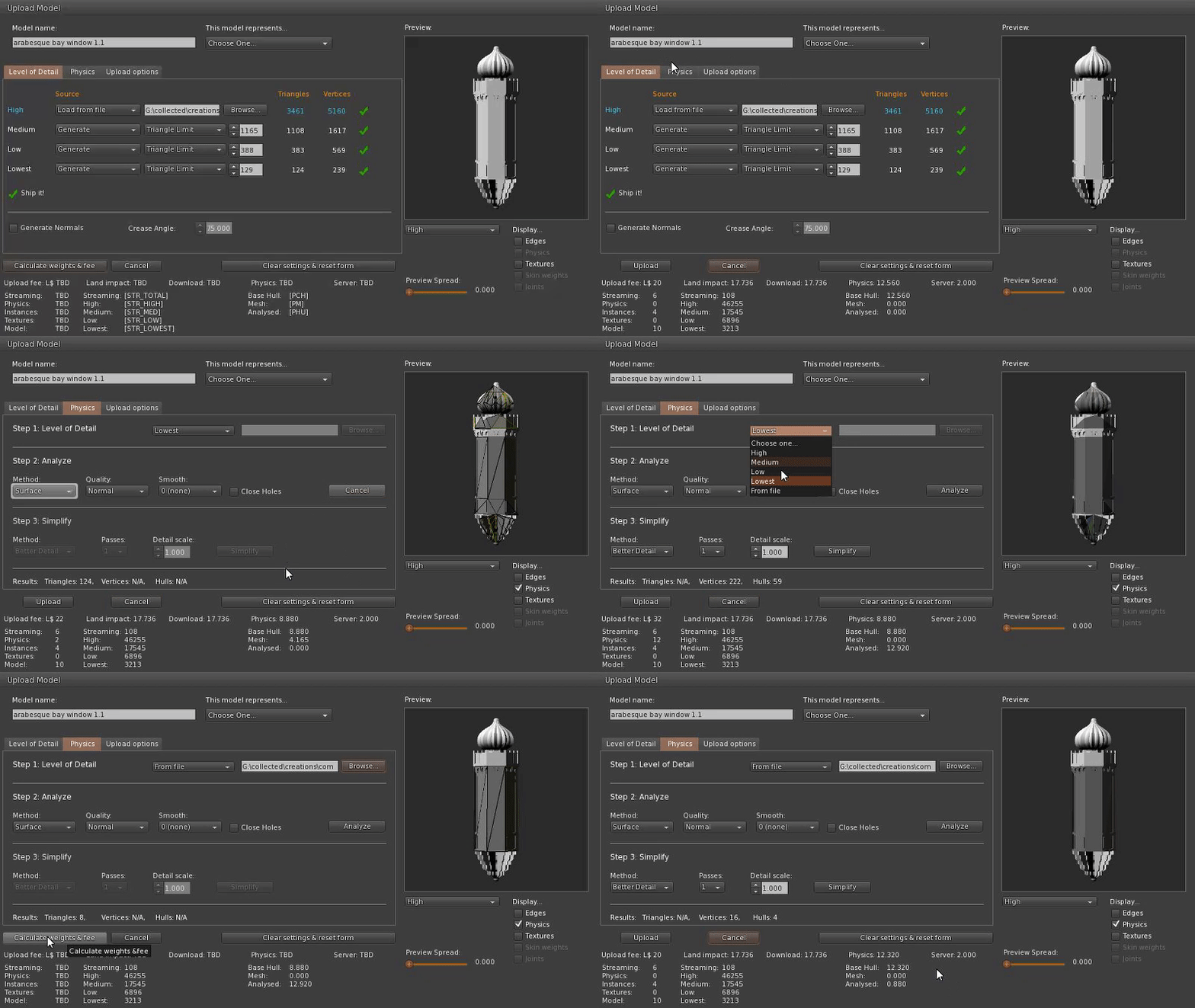
The fifth type of physics is an analysed hull based physics. To produce this the viewer takes a user-specified mesh physics shape and applies an algorithm to it to construct a series of 3d "capsules" called hulls. These are Havok primitives, optimised for the engine to process and can in some cases be more efficient than the equivalent triangular mesh. For reasons I have never fully investigated, the cost of an analysed mesh is frequently higher than the equivalent triangle based mesh, a problem exacerbated by the lack of Havok in 64-bit viewers. For this reason, alone people often avoid it and yet it has some very specific benefits. An analysed mesh has a fixed cost, it does not suffer from the increased physics cost when scaled down and it does not have the dimension based cap imposed so is immune to the "thin wall" problem.
These are deliberate hulls and are shown the same as #1 above (and #4)
There's some good news to come on physics views but for now, I've written more than enough.
See you soon
Love
Beq
x